
Download vTask Studio – automation tool, Windows automation, task automation, productivity tool, system automation, file management, software testing, keyboard automation, mouse automation
Overview
Designed specifically for Windows users, vTask Studio is a comprehensive automation tool that enables individuals and teams to streamline repetitive and time-consuming system tasks. The application is built to enhance productivity by allowing users to automate keyboard and mouse actions, manage files, and support software testing workflows. Its core purpose lies in reducing manual input and increasing efficiency across various computing environments, from personal workstations to development labs. By leveraging detailed matrices and customizable variables, vTask Studio gives users granular control over automation sequences, making it suitable for both beginners and advanced users seeking precision.
The target audience includes power users, software developers, system administrators, and anyone who performs repetitive actions on their Windows devices. Real-world applications range from automating routine file downloads and installations to simulating user interactions for testing software reliability. In the broader app ecosystem, vTask Studio fills a niche for lightweight yet powerful automation utilities, particularly within the productivity and development tool categories. Despite being released in 2015, its continued relevance suggests a stable foundation and consistent functionality over time. The developer did not provide additional technical details about updates or long-term support, but the app remains accessible and free to use.
Key Features & Functionality
- Task Automation: vTask Studio allows users to record and execute sequences of keyboard and mouse actions. This feature is ideal for automating repetitive workflows such as data entry, form filling, or navigating complex software interfaces. By scripting these actions, users can reduce human error and save significant time.
- File Management: The application supports automated downloading, installation, and organization of files from the internet. This is particularly useful for managing large batches of software or data, ensuring consistency and minimizing manual oversight.
- Software Testing: vTask Studio includes tools to automate software testing by simulating real user interactions. This helps developers verify application behavior under various conditions, identify bugs early, and ensure compatibility across different environments.
- Control Over Variables: Users can define custom matrices and variables to create dynamic automation scripts. This feature enables adaptive workflows that respond to changing conditions, such as variable file paths or user inputs.
- User-Friendly Interface: Despite its advanced capabilities, the interface is designed to be intuitive. New users can follow guided workflows, while experienced users can access advanced settings to fine-tune automation logic.
For example, a developer could use vTask Studio to automate the deployment of a test build across multiple virtual machines, while an office worker might use it to process daily reports with consistent formatting and file naming.
Interface, UX & Performance
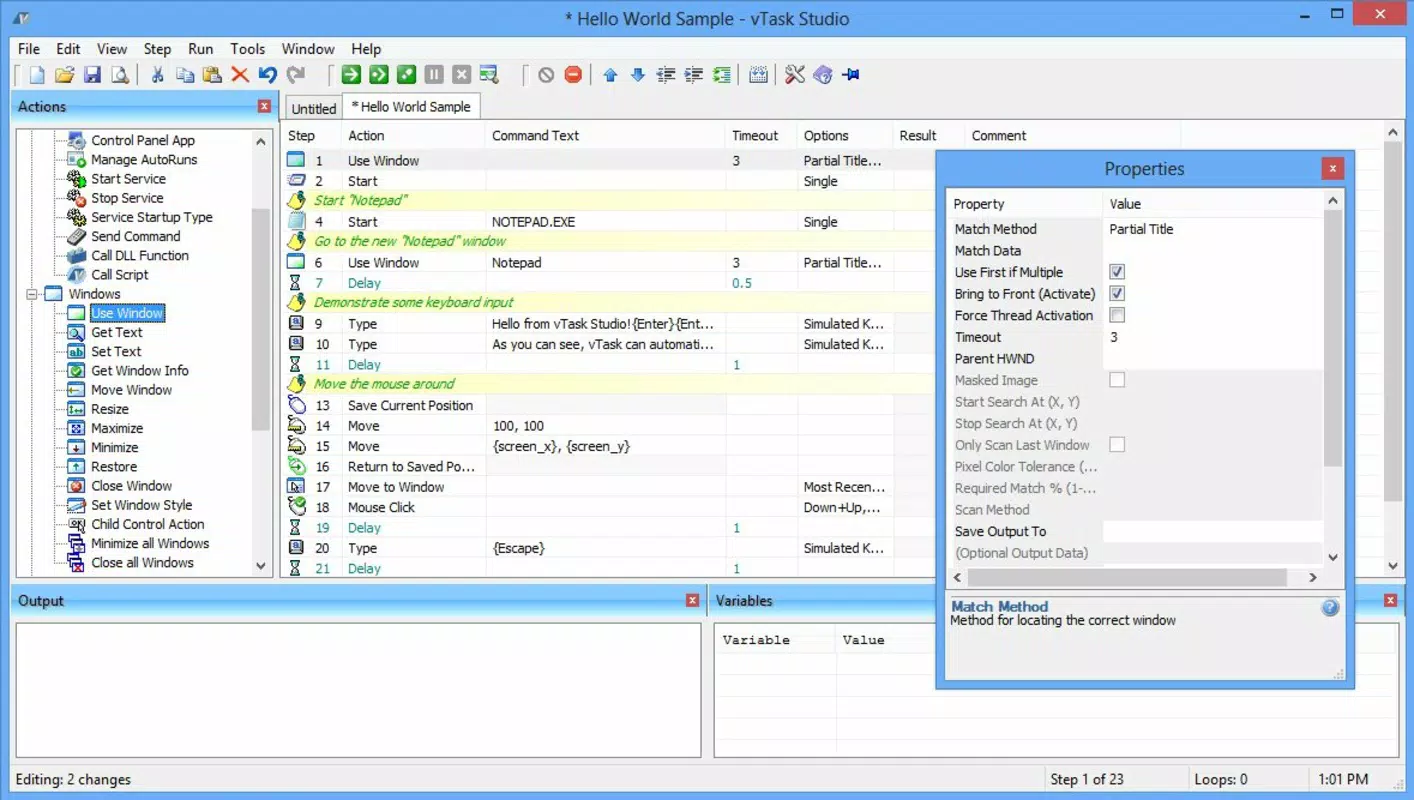
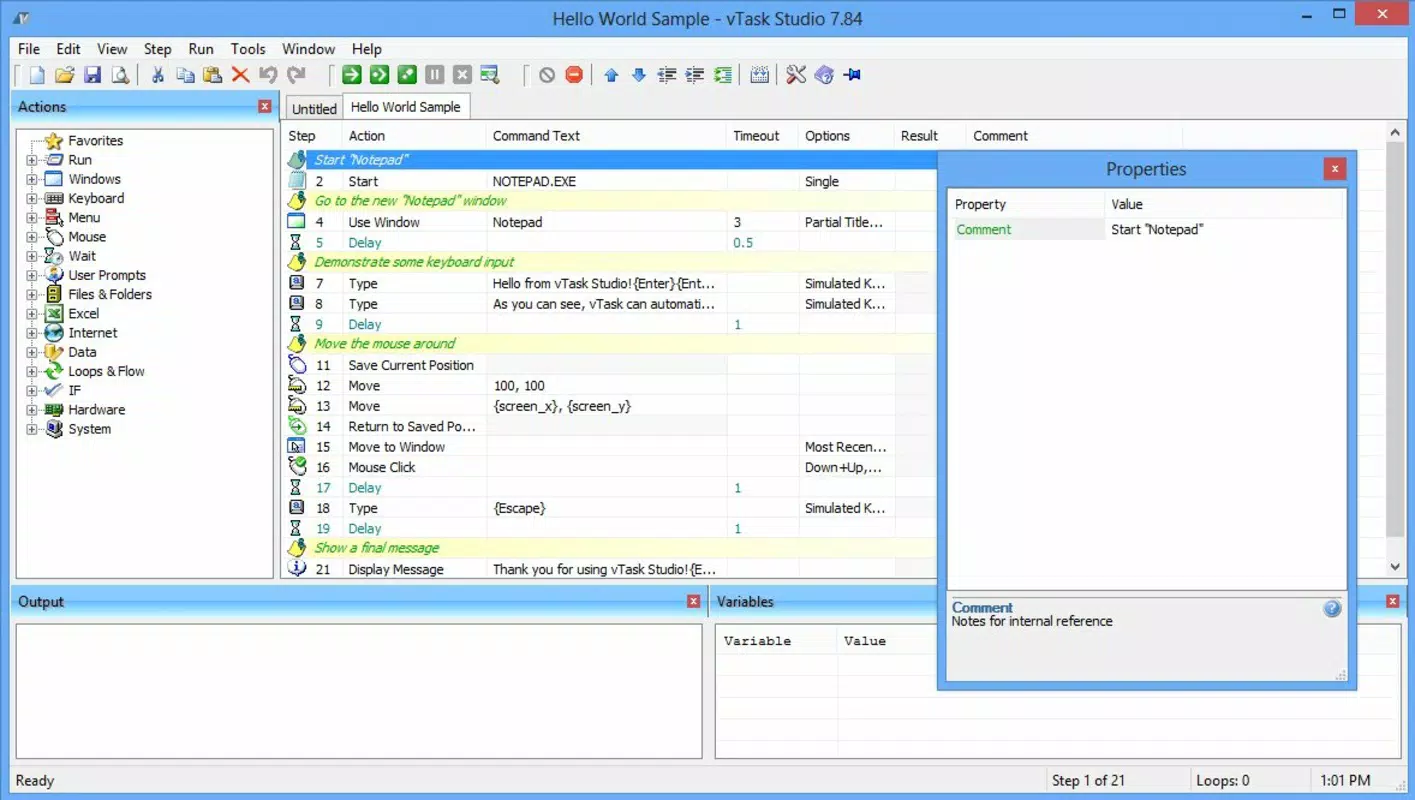
vTask Studio features a clean, organized interface that balances simplicity with functionality. The layout is structured around a central workspace where users can build, edit, and run automation scripts. Navigation is linear and predictable, with clearly labeled panels for recording actions, managing variables, and configuring execution settings. Visual feedback during script playback helps users track progress and identify issues quickly.
Although the developer did not list formal performance metrics, the application’s lightweight footprint of 34.2 MB suggests efficient resource usage. It is designed to operate smoothly on standard Windows systems without causing noticeable lag or high memory consumption. The responsiveness of the interface remains consistent across different device categories, though specific performance data on older or low-end hardware was not disclosed. Stability appears reliable based on the app’s long-standing presence since 2015, though no official reports on crashes or bugs were provided. The app maintains a steady operation during extended automation sessions, which is critical for testing and batch processing tasks.
Platform Compatibility & Technical Requirements
vTask Studio is available exclusively for the Windows platform. The current version is 1.0.11, with a file size of 34.2 MB. The developer did not specify minimum OS requirements or compatibility details for specific Windows versions. However, given its release date in 2015 and continued availability, it likely supports modern Windows systems including Windows 10 and Windows 11, though this is not confirmed. No information was provided about required hardware specifications, installation prerequisites, or updates beyond the version number.
Users should ensure their system meets general Windows application standards to run the software without issues. The absence of detailed compatibility information means users should proceed with caution when deploying on older or non-standard configurations.
Pros and Cons
Pros
- Free to download and use, making it accessible for budget-conscious users.
- Comprehensive automation capabilities for keyboard, mouse, and file operations.
- Supports software testing through simulated user interactions.
- Customizable variables and matrices for advanced scripting flexibility.
- Intuitive interface suitable for both novice and experienced users.
Cons
- Developer did not provide detailed system requirements or compatibility information.
- Release date is from 2015, which may raise concerns about long-term support and updates.
- Platform is limited to Windows; no version available for macOS or mobile devices.
- No official documentation or user guides were referenced in the provided data.
- Performance on older or low-end hardware was not tested or reported.
FAQ
Is vTask Studio safe to download and install?
Yes, the app is free and available from official sources. As with any software, users should ensure they download it from trusted platforms to avoid potential security risks.
Can I use vTask Studio on Windows 11?
While the developer did not specify compatibility, the app’s long-standing presence suggests it may work on Windows 11. Users are advised to test it on their system for optimal results.
Does vTask Studio support mobile automation?
No, the application is designed exclusively for Windows desktop environments. It does not support Android or iOS automation.
Are there regular updates for vTask Studio?
The latest version is 1.0.11, released in 2015. The developer has not provided information about update frequency or future development plans.
Can I automate software testing with vTask Studio?
Yes, the app includes tools to simulate user interactions, making it suitable for automated testing of desktop applications.
Final Thoughts
vTask Studio stands out as a powerful, free automation solution for Windows users seeking to boost productivity through task scripting. Its ability to automate keyboard and mouse actions, manage files, and support software testing makes it a versatile tool across different professional and personal use cases. While the lack of recent updates and detailed technical documentation may raise concerns, the app’s core functionality remains effective and relevant.
For developers, system administrators, and power users who rely on repetitive workflows, vTask Studio offers a valuable way to save time and reduce errors. Its intuitive design ensures that even those new to automation can get started quickly. Despite its age, the tool continues to deliver strong value in the productivity space.
Download vTask Studio now


